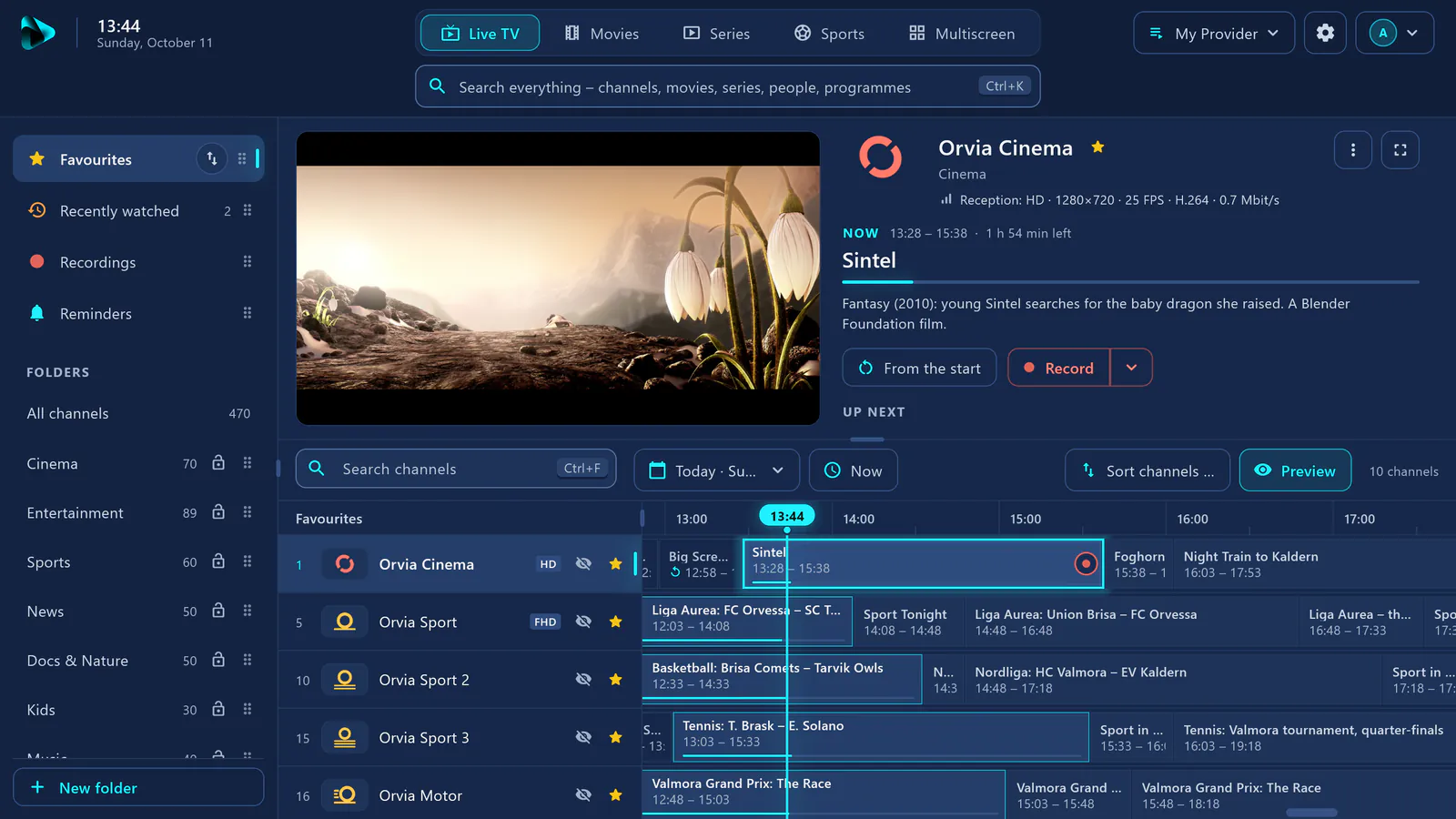

 – The IPTV experience you deserve.
Your channels, movies and series – neatly organised in one place.
- Live TV with TV guide and catch-up
- Continue watching and skip intro
- Multiscreen with up to 9 channels
- Download movies and series
- Sharper picture for SD channels with AI
Windows first, more platforms to follow.
visiv doesn’t include any channels, movies or series. You need your own source that you’re legally allowed to use.
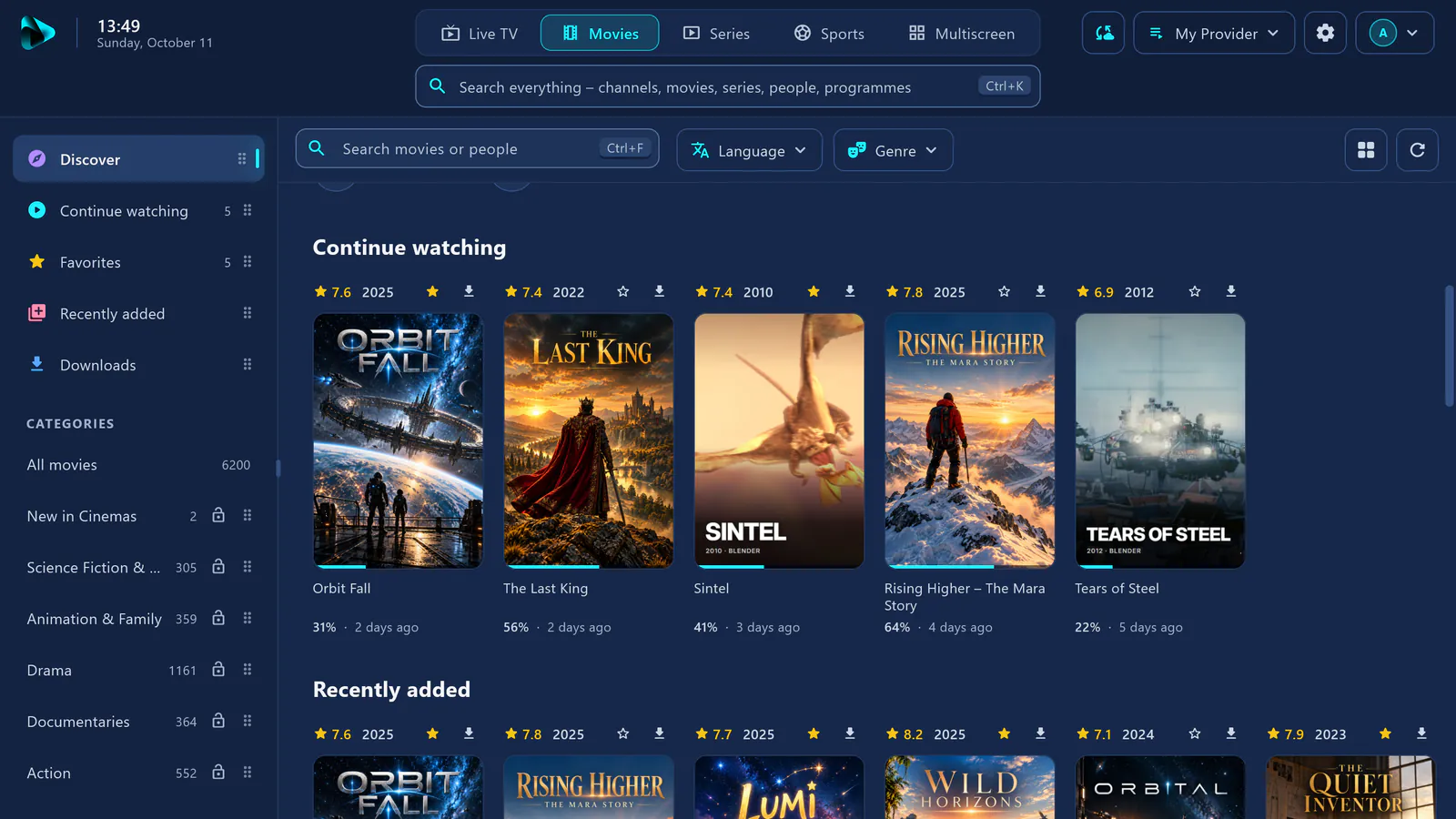
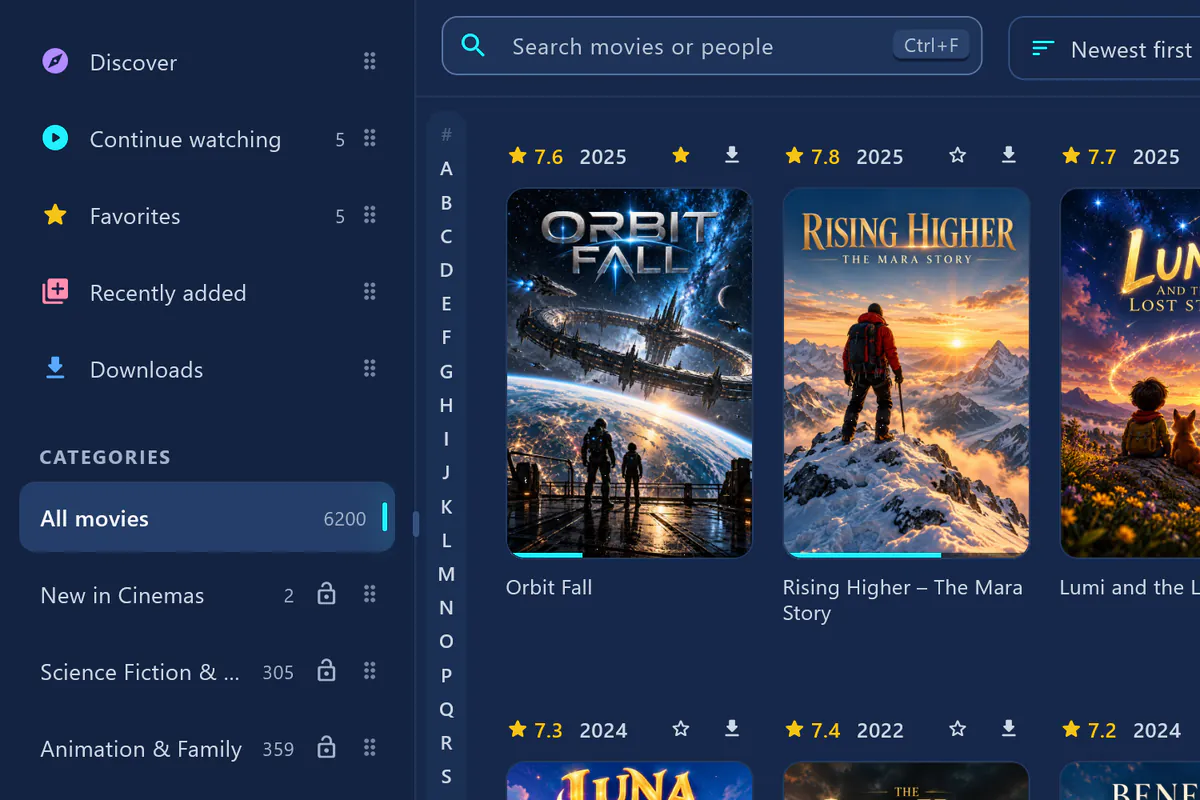
Real screenshot of visiv on Windows with a demo source: the movies and posters are made up. “Sintel” and “Tears of Steel” © Blender Foundation (CC BY 3.0). Credits
visiv at a glance
- 36 Languages app and website
- 5 Devices per account
- Playlists as many as you like
- 7 Days free trial
Modern interface
Five areas. Tidier than ever.
Live TV, movies, series, sports and multiscreen – all in one calm, modern interface. Use it with a mouse, touch, keyboard or remote.
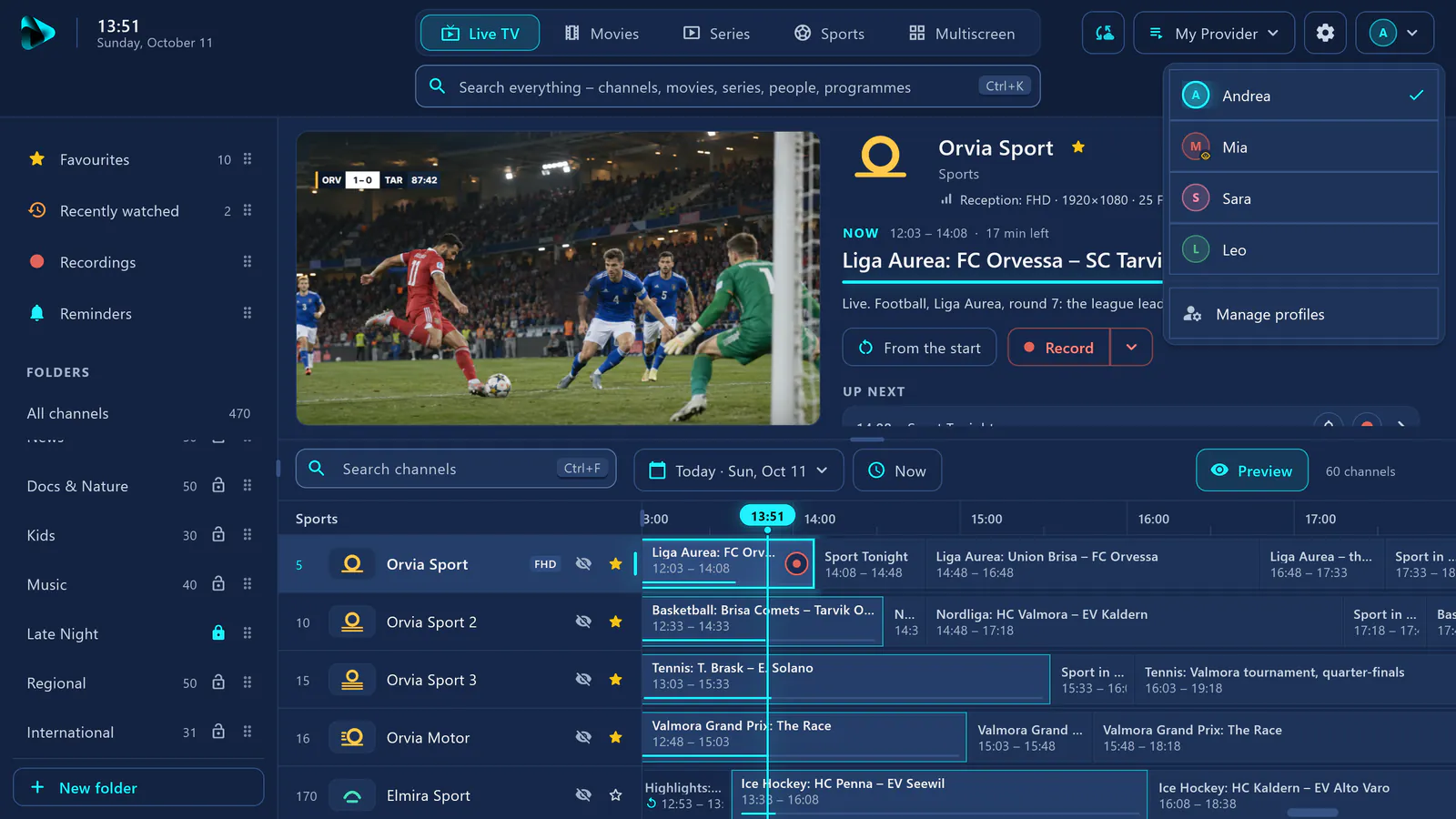
Live TV just like on a TV set
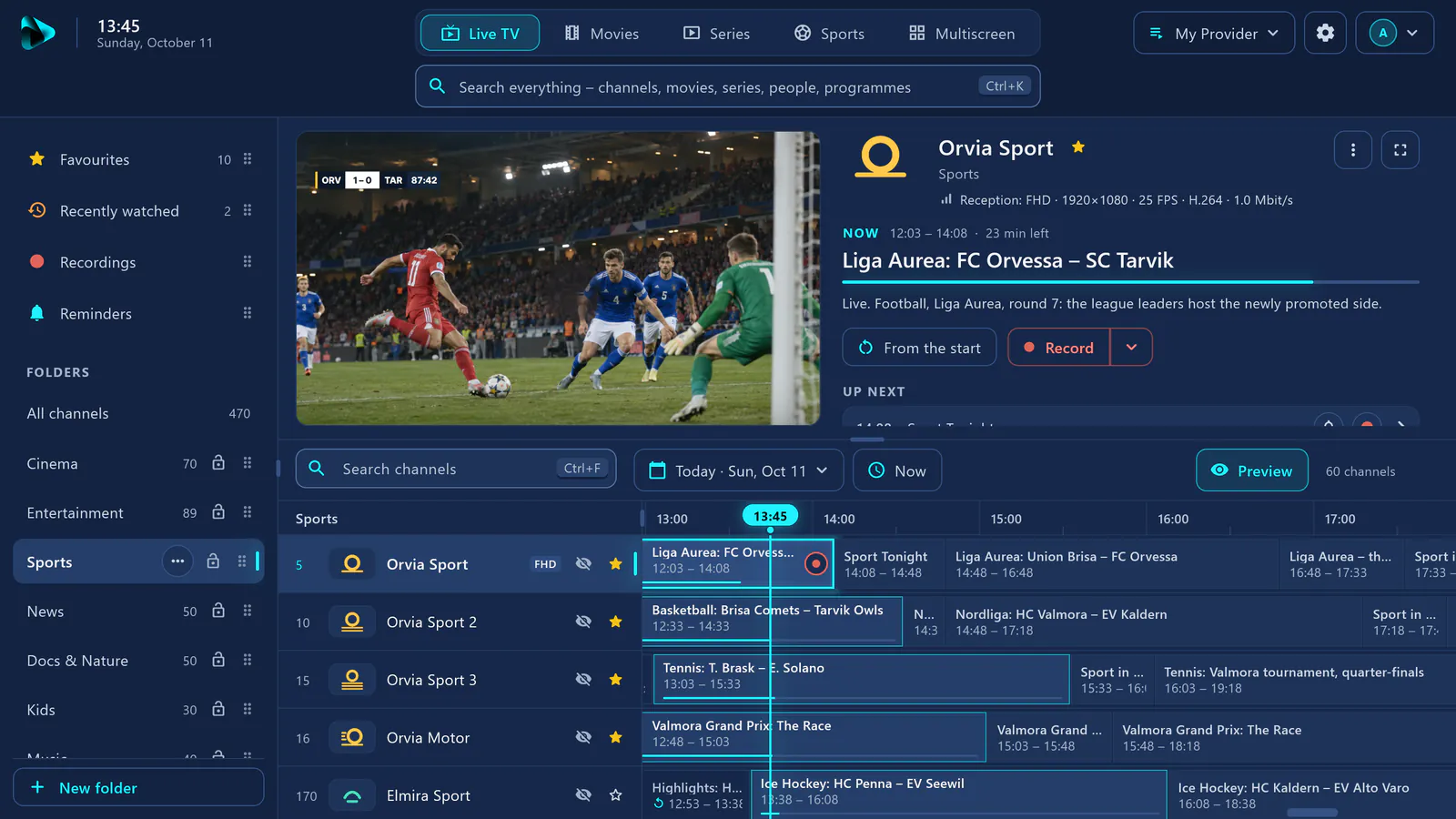
Preview, now and next, and the guide for every channel at a glance. Zap with the number keys, and set up favourites and folders the way you like.
Movies like on a streaming service
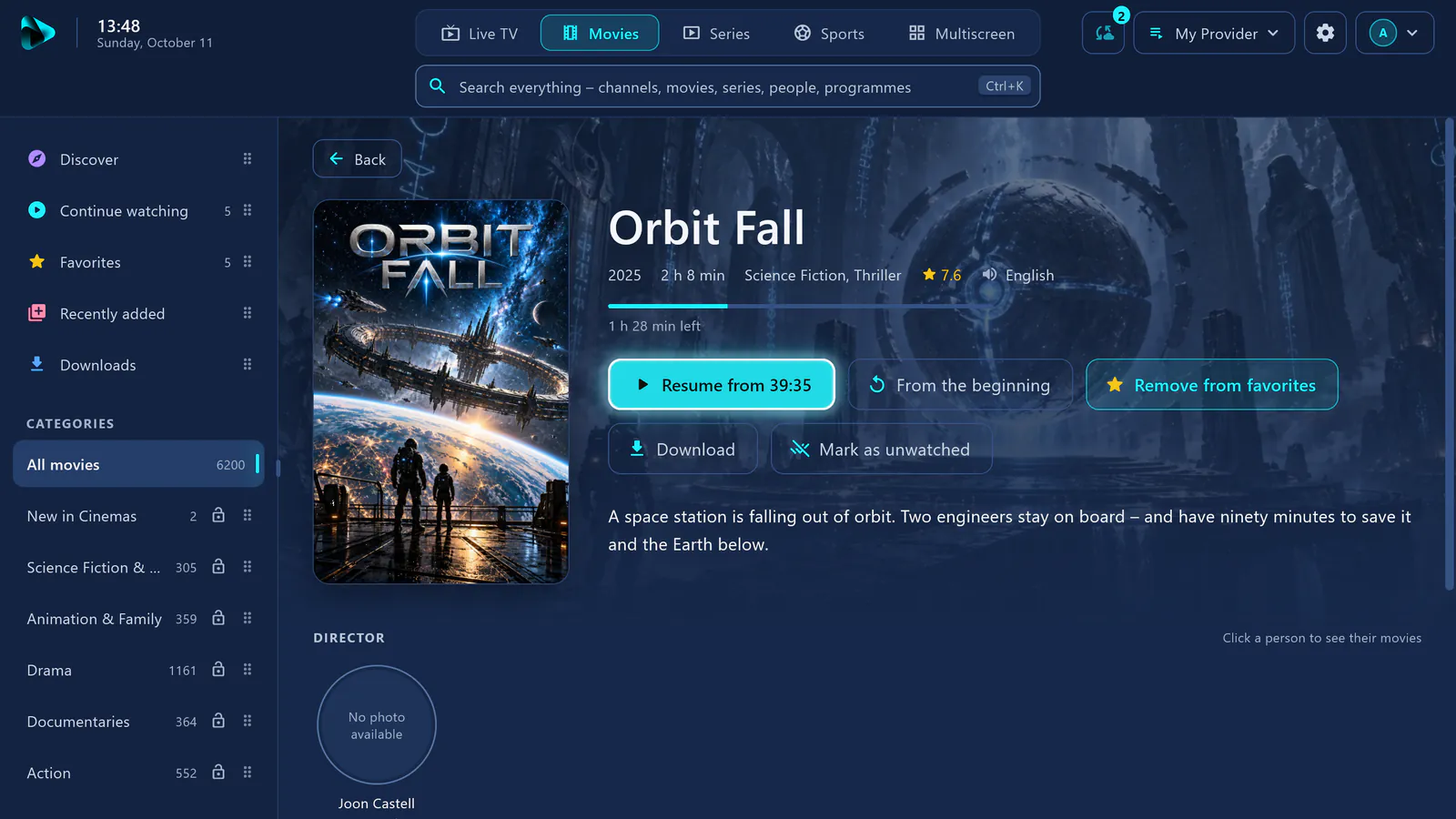
Big hero image, continue watching from where you stopped, favourites and recently added – your library, neatly organised.
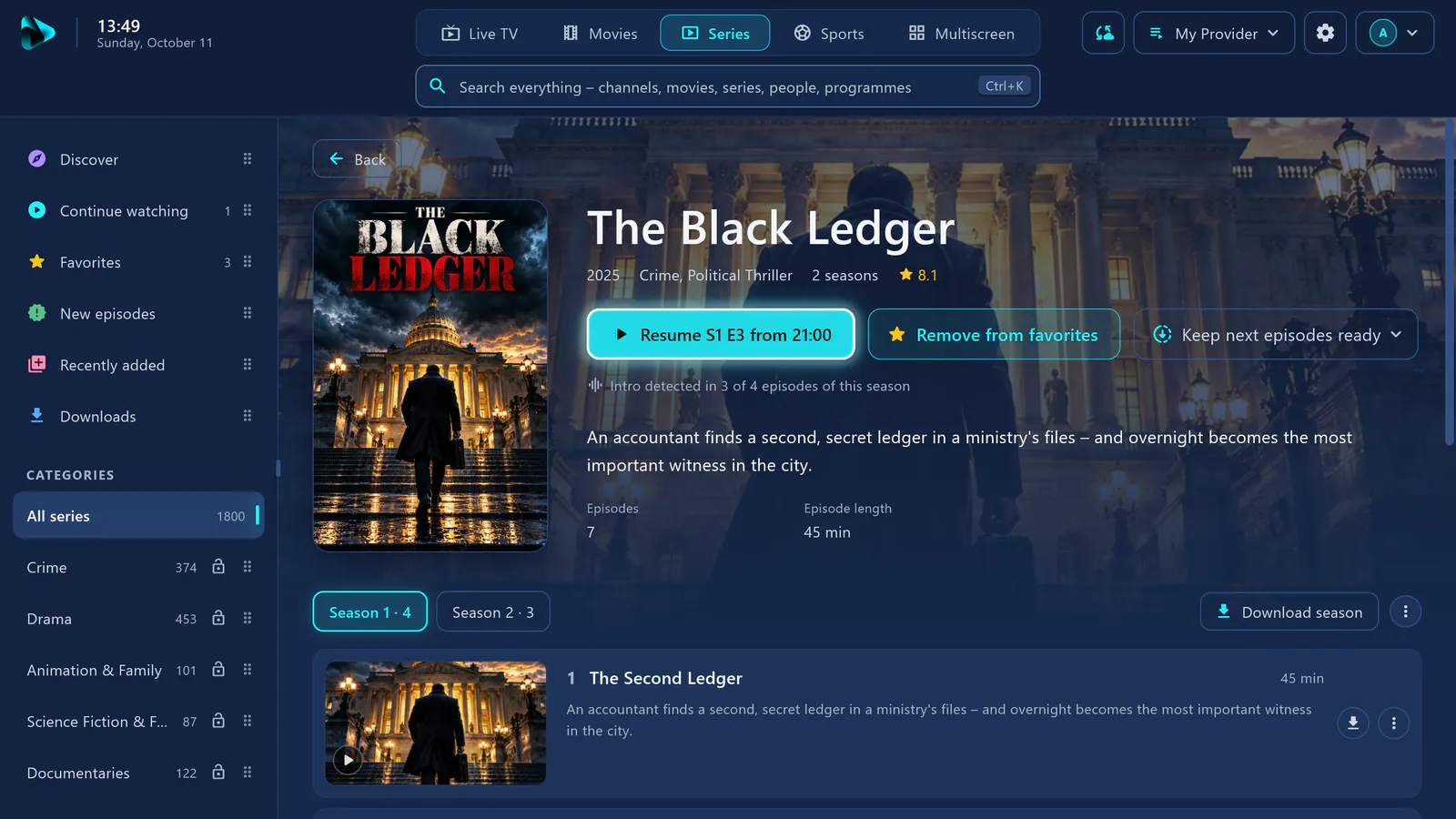
Series at a glance
New episodes detected, continue watching at the right episode, skip the intro – and the next episode starts by itself.
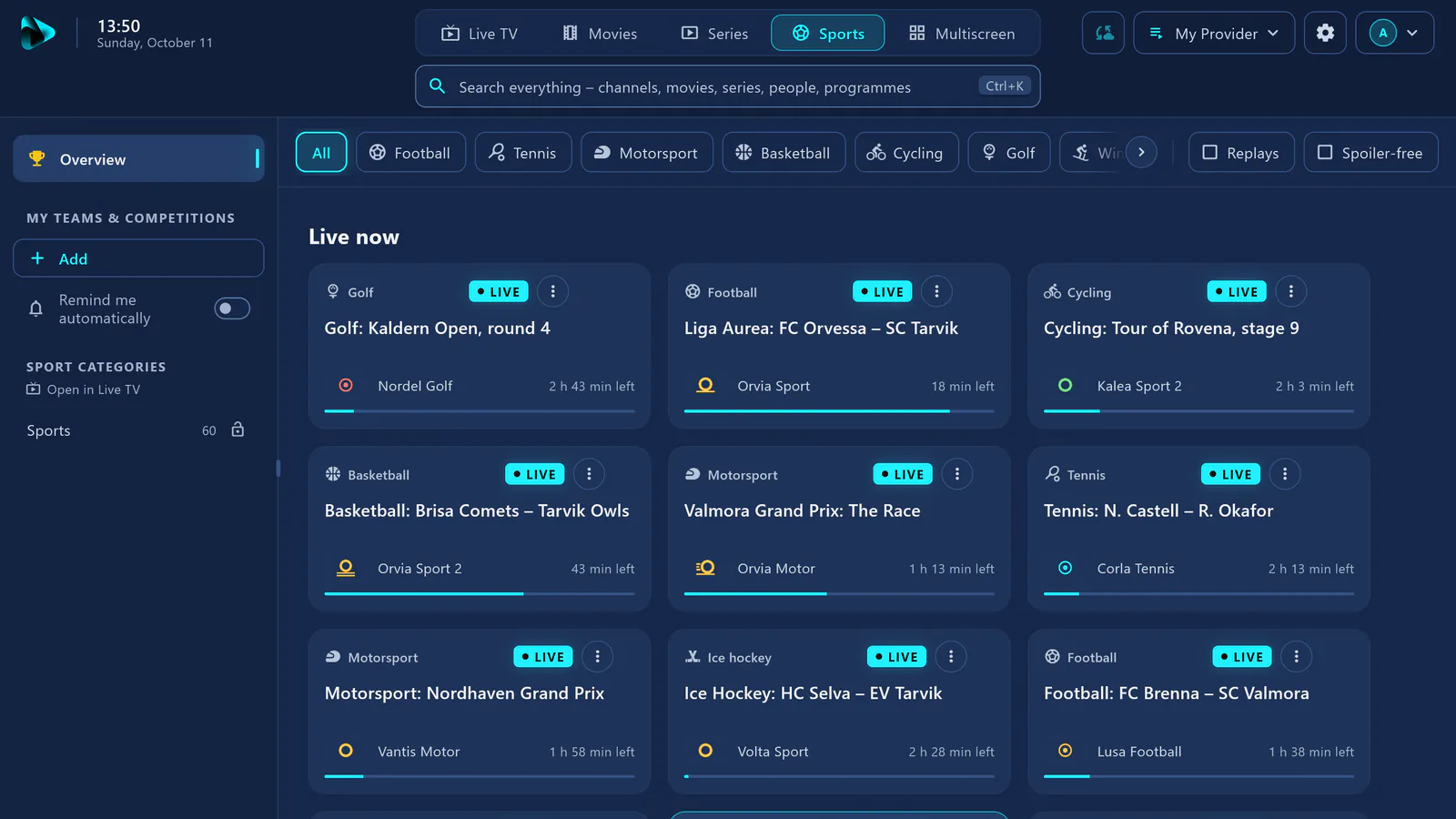
Sports for fans
What’s live now, what’s on today and tomorrow – with your teams, reminders and spoiler-free mode.
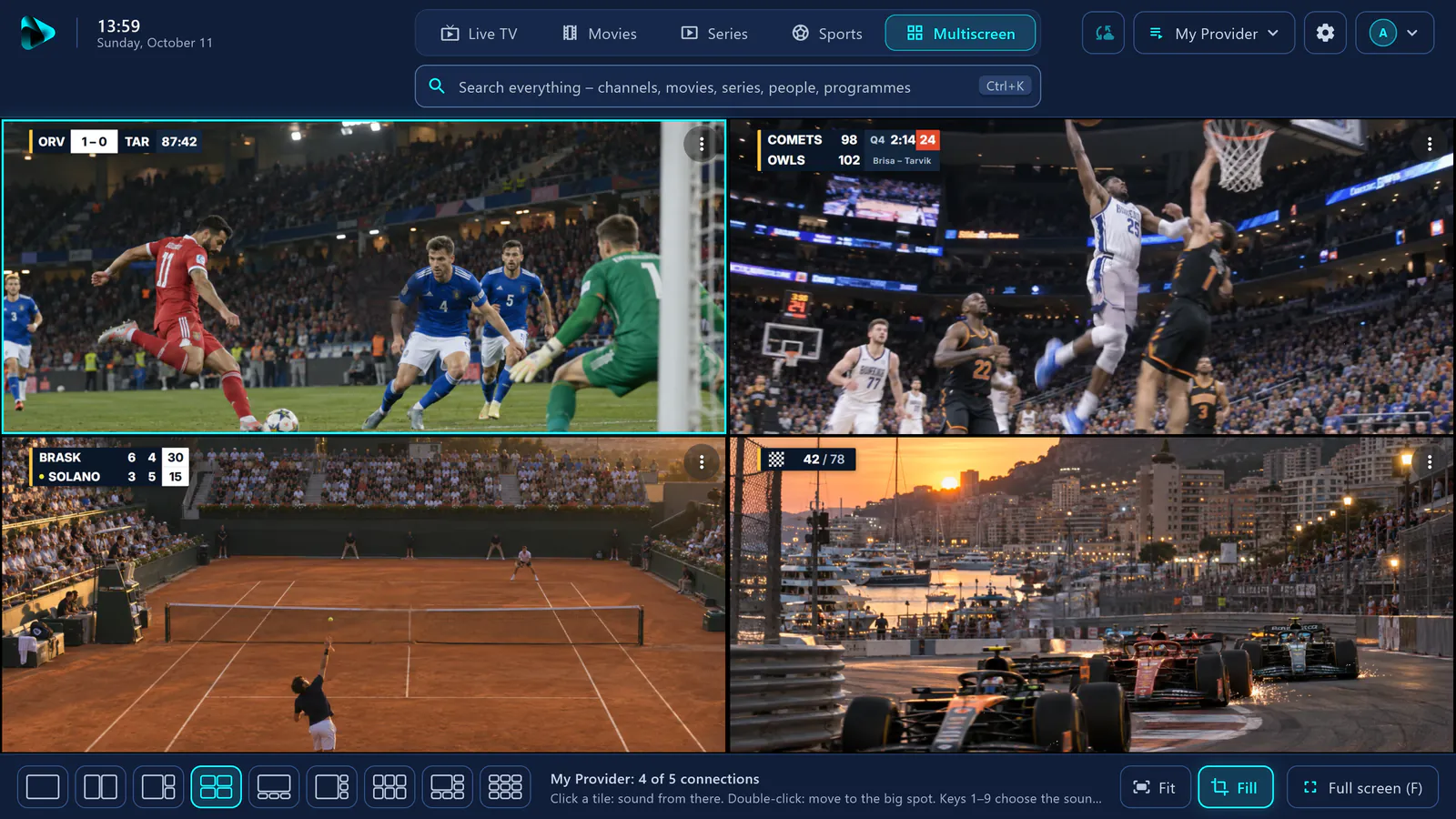
Up to 9 channels at once
Several matches or channels side by side, in nine layouts. Choose the sound with a click or with keys 1 to 9.
Family and child protection
For the whole family. Kids only see what’s meant for them.
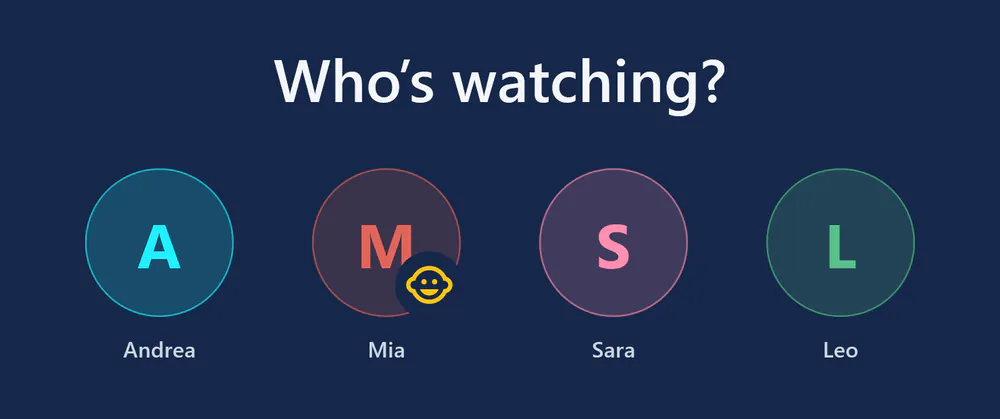
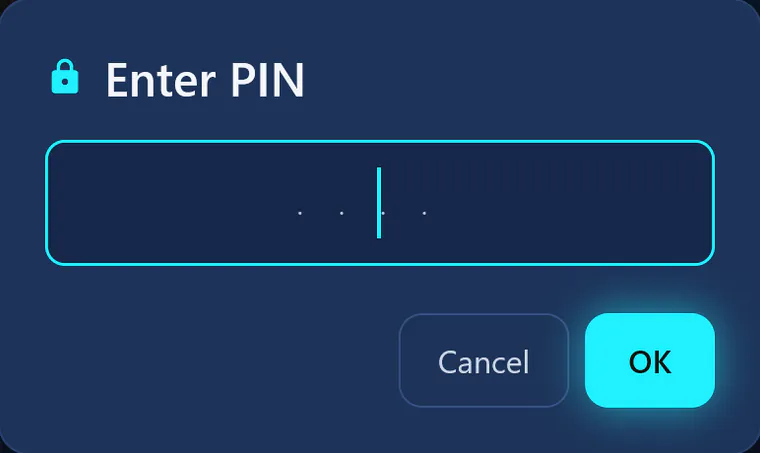
Everyone gets their own profile. Anything that isn’t for kids, you lock with a PIN – and it stays locked everywhere.
- A profile for everyone Their own favourites, their own continue watching, their own history. On start, visiv can ask: “Who’s watching?”
- Kids profile with PIN Locked folders are completely hidden there. Switching profiles, settings and sources only work with the PIN.
- Lock per folder In Live TV, movies and series. Locked means locked everywhere – in search, favourites and history too.
- Adult folders suggested During setup, visiv detects such folders and suggests locking them.
- Hide without a PIN What nobody needs simply disappears from the lists – for a tidier view.
AI sharpening
SD turns sharp. With AI, right on your device.
Many channels still come in SD – on a big screen, that quickly looks washed out. visiv uses AI to upscale such pictures more sharply: edges, hair and text become noticeably clearer.


- Switches itself on “Enhance automatically” is on by default: channels and movies up to 720p are sharpened in large view.
- Your graphics do the work With the AI technology from Intel Arc (Core Ultra too) or NVIDIA RTX – on your device, without the cloud.
- You can see when it’s on The player shows, for example, “AI upscaling active: 576p to 1152p”.
- Never at the expense of smoothness If the picture stutters, visiv switches the AI off by itself. Only on Windows with suitable graphics.
All features
It’s all in there. In every subscription, no Pro tier.
Every visiv feature at a glance – from the TV guide to parental control. 84 features
Live TV
- TV guide for every channel A grid covering several days, now and next at a glance.
- Lightning-fast zapping Type the channel number or flick through – the channel plays straight away.
- Back to the last channel One key, and you’re back on the previous channel.
- Catch-up Missed programmes up to 7 days back, if your provider offers it.
- From the start Watch a programme that’s already running from the beginning.
- Pause and rewind live TV Up to 20 minutes of buffer in the live picture.
- Reminders A heads-up before it starts – if you like, visiv switches over by itself.
- Mini TV while browsing The channel keeps playing small while you look for movies.
- Channel list in full screen Folders, channels and guide, without leaving the picture.
- Channel search Found instantly, even in very large lists.
- Backup channels If a channel fails, visiv uses another version.
- Real reception display HD, Full HD, 4K and HDR – measured, not just taken from the name.
- Assign the guide by hand Even with a time offset – and it stays after every refresh.
- Only channels with a guide One switch hides channels without a guide.
Movies and series
- Discover Big hero image and rows like on a streaming service.
- Continue watching Movies and episodes from where you left off.
- New episodes detected Your series let you know when there’s more.
- Next episode with countdown The series keeps going without a click.
- Skip intro Intro and credits are detected automatically.
- Favourites Save movies, series and channels with a star.
- Recently added What’s new from your provider is right at the top.
- Search by actor and director Click a person to see their movies.
- Language, genre and year Filter – even if your provider has no genre folders.
- Audio track and subtitles Your language is remembered.
- A–Z bar Jump straight to a letter, with the remote too.
- Download Windows Movies and episodes for on the go – the next episodes automatically, if you like.
Sports
- Live now Every match that’s on right now at a glance, from your guide.
- Today and tomorrow What’s coming up, filtered by sport.
- My teams and competitions Save them with a star and never miss a thing.
- Automatic reminders visiv lets you know when your team is playing.
- Spoiler-free Results stay hidden until you watch.
- Hide replays Only what’s really live.
- From match to match Zap through every running match in full screen.
Multiscreen
- Up to 9 channels at once Nine layouts, from a pair to a 3×3 grid.
- Sound with a click or a key Keys 1 to 9 choose which tile you hear.
- From several sources Channels from different providers side by side.
- Fit or fill The whole picture or edge to edge.
- Connections at a glance visiv shows how many connections your subscription has left.
Recording
- Record programmes Windows Right on your PC, without an extra server.
- Series recordings Windows Every new episode, automatically.
- Even when visiv is closed Windows Your PC wakes up for the recording.
- Watch while recording Windows The same programme, without a second connection.
- Resume recordings Windows From where you left off.
Picture and sound
- AI sharpening for SD channels Windows Sharper edges with Intel or NVIDIA graphics.
- High-quality upscaling Sharper than the usual standard scaling.
- HDR detected HDR10 and HLG are detected and displayed correctly.
- Automatic deinterlacing No comb effect on interlaced channels.
- Brightness, contrast, colour Set up the picture the way you like it.
- Night mode Quiet parts louder, loud parts quieter – good for thin walls.
- Louder For quiet channels, without distortion.
- Sleep timer Also “until the end of the programme”.
- Surround sound to your receiver Sound passed unchanged to your AV receiver (passthrough).
- Screenshot One click captures the moment.
Family and safety
- Profiles for everyone Their own favourites, history and folders for each person.
- Kids profile with PIN Settings and sources only with the PIN.
- Parental control per folder Locked means locked everywhere – in search and history too.
- Adult folders suggested During setup, visiv detects them by itself.
- Hide what you don’t need Folders and channels disappear, no PIN needed.
Sources and setup
- Xtream Codes Server, username, password – done.
- M3U and M3U8 As a link or as a file.
- Your own TV guide (XMLTV) An extra guide source, if you want one.
- As many sources as you like Switch between providers with one click.
- Login details via your phone Scan a QR code instead of typing with the remote.
- Connection test visiv checks the details before you start.
- Subscription expiry at a glance A heads-up before your subscription with your provider runs out.
- Automatically up to date Channels, movies and guide reload by themselves.
- Stream doctor Explains why a channel isn’t playing.
- Built for large lists Even very large lists load in the background – the interface stays responsive.
Organisation and interface
- Search everything Channels, movies, series, people and programmes in one field.
- Sort folders By dragging, in your own order for each profile.
- Rename Call channels and folders whatever you like.
- Your own folders Put together your favourite channels.
- Hide prefixes “DE |”, “UK:” and the like disappear from the names.
- Mouse, touch, keyboard, remote Everything works everywhere.
- TV mode Large display and screen edge compensation.
- 36 languages Right-to-left too.
- Keyboard shortcuts All keys at a glance with “?”.
Devices and privacy
- One account, one subscription Windows first, more platforms to follow.
- 5 devices per account One subscription for every device in your account.
- Encrypted backup Back up and restore everything.
- Transfer over Wi-Fi Settings to your next device, with a code.
- Watch history stays on your device No analysis of your habits.
- No ads, no trackers Just you and your programmes.
- Login details encrypted Stored securely, never in plain text.
Getting started
It’s that simple. All you need are your login details.
Your IPTV provider gives you an Xtream login or an M3U link. You enter it once – visiv takes care of the rest.
No provider yet? What an IPTV player is – and what it isn’t-
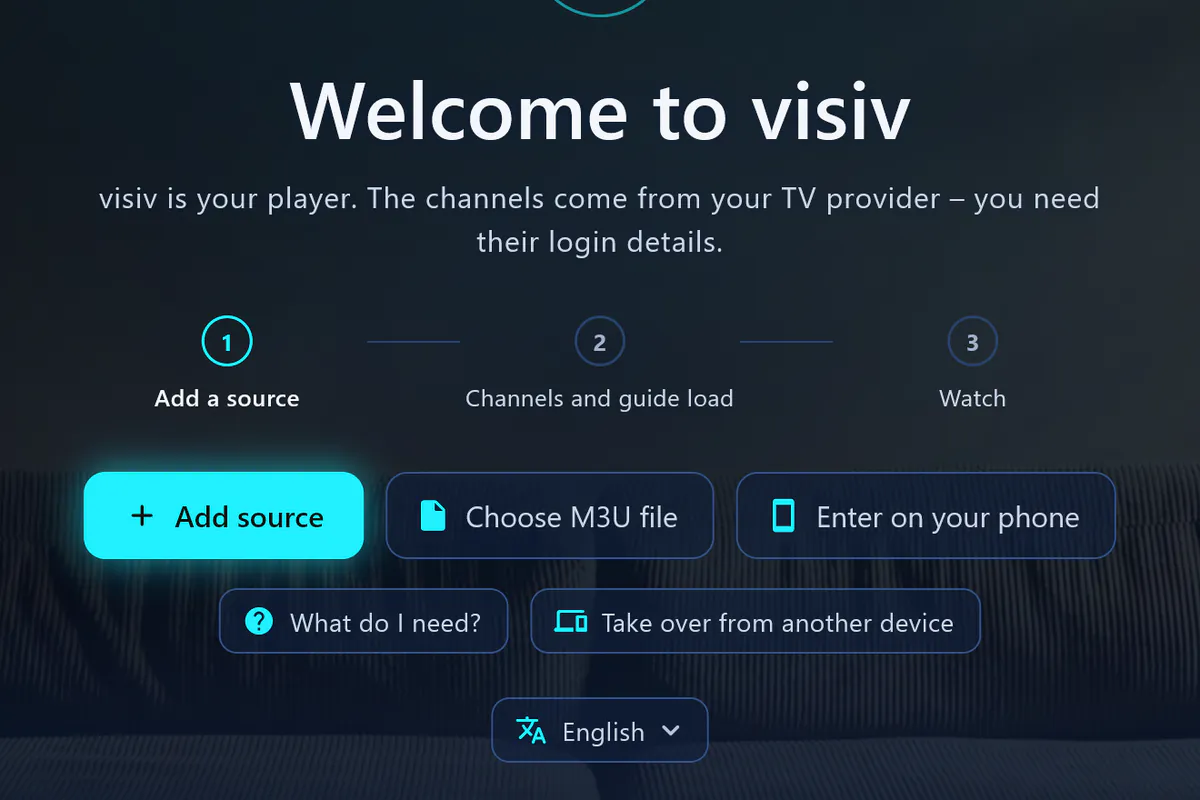
Download
Download visiv to your device and sign in with your email address. 7 days free – no payment details.
Go to the platforms -
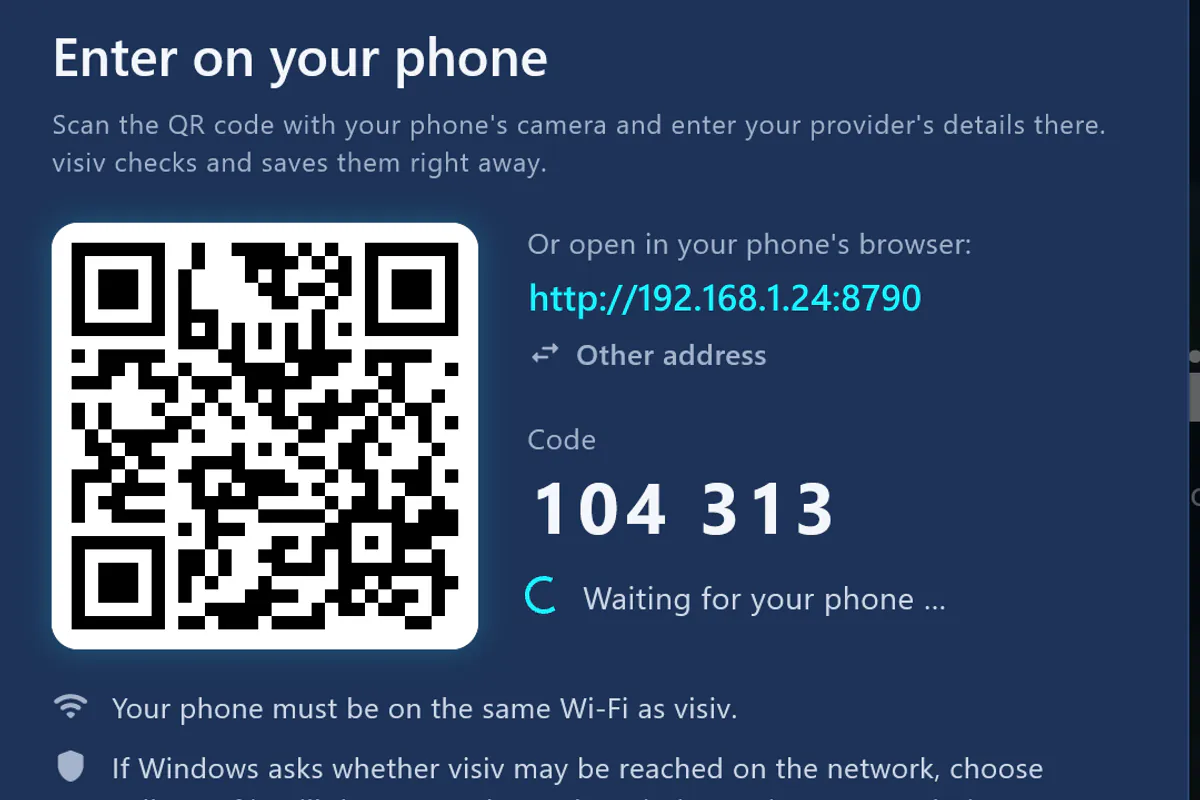
Connect
Enter your Xtream login or M3U link – on the computer or conveniently on your phone: scan the QR code, type it in, send.
For the phone: your phone and device must be on the same Wi-Fi – use your own Wi-Fi.
-
Watch
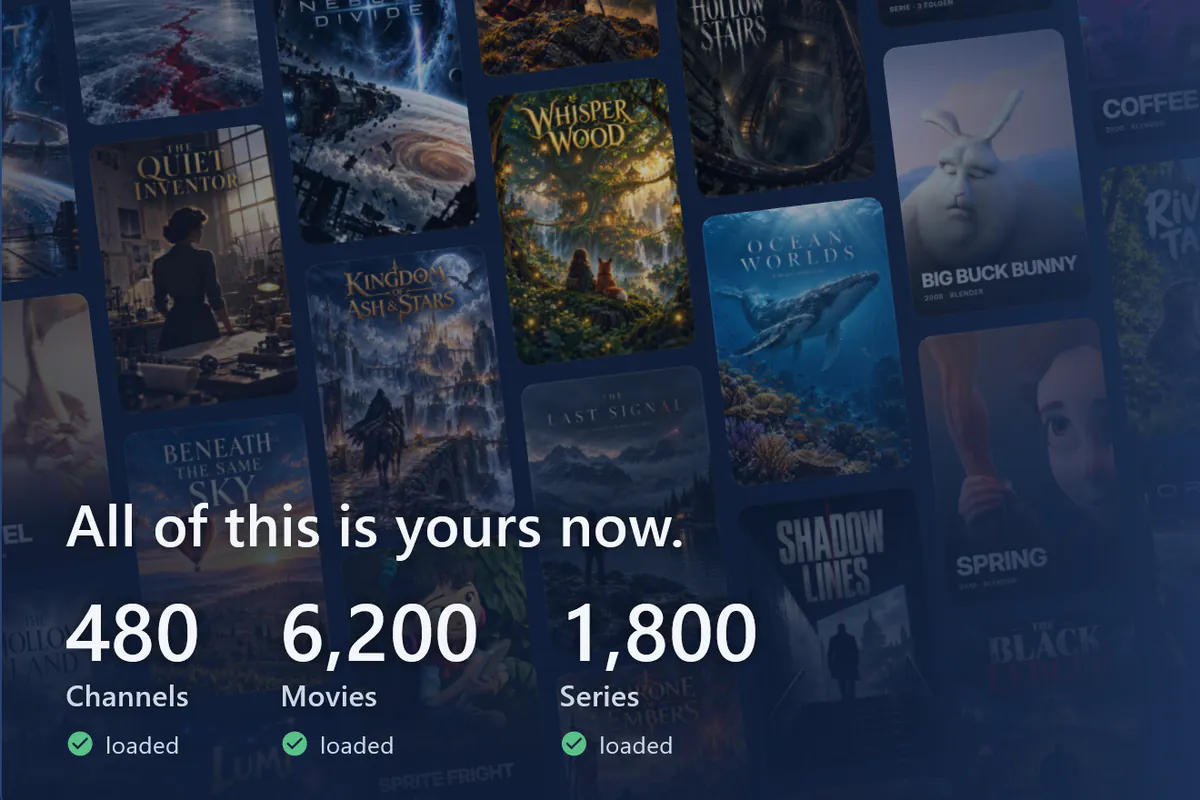
visiv fetches channels and the guide, and with an Xtream login also movies and series. Then your first channel starts right away.
Performance
Built for large lists.
Thousands of channels, the guide for the coming days, plus movies and series: visiv reads everything in the background and stores it in a database on your device. The interface stays responsive the whole time.
-
Lightning-fast zapping
Type a channel number, go up and down or back to the previous channel – visiv switches straight over.
How quickly a channel starts also depends on your provider.
-
Thousands of channels, smooth
In long lists, visiv only draws what’s currently visible. Scrolling stays smooth – in the guide grid too.
-
Guide in the background
visiv reads even large guide files in the background. You can start watching while the guide is still loading.
-
Reconnects by itself
If a stream drops, visiv reconnects by itself – and if needed tries another version of the same channel, such as SD instead of HD.
-
The stream doctor explains
If a channel isn’t playing, the stream doctor tells you why – your internet, your provider or your login details – and what you can do.
-
Upscaling with a fallback
visiv upscales the picture in high quality. If it stutters on your device, it switches to the faster method by itself.
One account, one subscription
One account for your devices. More platforms to follow.
With your visiv account, your subscription works on up to 5 devices. visiv comes to Windows first, then to more platforms – your account and your subscription will work there too.
- Windows Soon
- Mac Soon
- iPhone Soon
- iPad Soon
- Android Soon
- Android TV Soon
- Apple TV Soon
- 1 subscription
- 5 devices per account
How many streams can run at once is up to your provider.
Price
Everything free for 7 days. Then one subscription for up to 5 devices.
Try every feature – with a free visiv account and no payment details. Then you choose monthly or yearly.
-
Monthly
CHF 2.50
$ 2.49
per month · incl. VAT
Cancel for the end of any month.
-
Yearly Save 33%Save 33%
CHF 20.00
$ 19.99
per year · incl. VAT
equivalent to CHF 1.67 a month
equivalent to $1.67 a month
Cancel for the end of any subscription year.
With a free visiv account, no payment details
What your subscription includes
- Every feature – no Pro tier
- Every platform visiv is available for
- As many playlists as you like
- Family profiles with child protection
- All updates
- No ads, no tracking
- Up to 5 devices per account – how many streams can run is up to your provider
- Cancel for the end of the term
What happens after 7 days? You choose monthly or yearly. Without a subscription, playback pauses – nothing is lost, and there’s no automatic switch to a paid subscription. Your sources, favourites, settings and recordings are kept.
visiv doesn’t include any channels, movies or series. You need your own source that you’re legally allowed to use.
Prices in CHF incl. VAT. In the app stores, your country’s price applies. Subscriptions renew automatically and can be cancelled for the end of the term. Prices in US dollars. In the app stores, your country’s price applies. Subscriptions renew automatically and can be cancelled for the end of the term.
Our promise
No lifetime option. On purpose.
Your subscription is our promise to stick with it.
With a one-off purchase, a maker earns once – and then has little reason to keep going. With your subscription, we stay on it: we fix bugs, adapt visiv to new devices and keep building on it. On every platform visiv is available for, with all updates.
- Fix bugs
- Adapt to new devices
- Keep building
visiv for your devices. And try everything free for 7 days.
One subscription for up to 5 devices per account, with as many playlists and family profiles as you like. visiv comes to Windows first, then to more platforms. Your visiv account and your subscription will work there too.
- Windows Computer Soon
- Mac Computer Soon
- iPhone Phone Soon
- iPad Tablet Soon
- Android Phone and tablet Soon
- Android TV TV and TV box Soon
- Apple TV TV box Soon
How many streams can run at once is up to your provider.
Trust
Who’s behind it. A small company in Switzerland.
What you see in visiv on this website is made up or freely licensed.
-
Your watch history stays on your device
Your watch history and your favourites stay on your device – we never get to see them. visiv stores login details encrypted, never in plain text.
What leaves your device
- To your provider and the servers in your source: streams, TV guide, images.
- To Wikimedia: movie titles and names – for popularity and portraits.
- To YouTube: only when you open a trailer.
- To us: your email address, your device list and the status of your subscription.
-
This website doesn’t analyse you
No trackers, no analytics or advertising cookies. Fonts, images and videos come from this domain.
-
No provider, no recommendation
We don’t work with any IPTV provider and don’t recommend any. visiv only plays your own source.
What is an IPTV player?
An app that plays TV from the internet – like a TV set without channels of its own. The channels come from your provider; visiv shows them to you. visiv itself doesn’t include any channels, movies or series.
What do I need?
visiv on your device – it comes to Windows first. Plus the login details from your IPTV provider: an Xtream login or an M3U link, optionally with a TV guide link (XMLTV).
Does my provider work with visiv?
If your provider gives you an Xtream login or an M3U link: yes – those are the usual ways in. Just try it during the 7 free days.
Do I need a visiv account?
Yes, a free visiv account – also for the trial. All you need is your email address: there’s no password, you sign in with a code we send you by email.
How many playlists can I add?
As many as you like. visiv sets no limit.
On how many devices can I use visiv?
With your visiv account, on up to 5 devices. How many streams can run at once is up to your provider.
Is visiv also coming to Android, iPhone or Apple TV?
visiv comes to Windows first, followed by more platforms. We’ll only name a date once it’s ready. Your visiv account and your subscription will work there too.
What happens after 7 days?
7 days are free – with a free visiv account and no payment details. After that, you choose monthly or yearly. Without a subscription, playback pauses – sources, favourites, settings and recordings stay. There’s no automatic switch to a paid subscription.
Why is there no lifetime option?
On purpose. With a one-off purchase, a maker earns once – and then has little reason to keep going. With your subscription, we stay on it: we fix bugs, adapt visiv to new devices and keep building on it – with all updates.
Can I record programmes?
On Windows, yes: right on your PC, without an extra server – whole series too, and you can watch while it’s still recording. Movies and episodes can also be downloaded there.
Are there ads?
No. visiv shows no ads and contains no trackers.
Is this legal?
visiv is a player – like a TV set without channels of its own. Whether a service is legal depends on the provider. Only use visiv with sources you’re legally allowed to use.